Defend the city, learn what breaks your defenses, and build an Archive that makes the next night stronger.
Build your first defense
Turrets aim and fire automatically. Click a glowing pad to build, then select the turret to spend parts on Damage, Fire rate, and Range. Damage level 25 opens that turret’s special upgrade. Start with coverage across the city so threats cannot slip past a single cluster of guns.
Threats damage districts. A ruined district stops producing parts, and turrets above it fire at half rate. Your goal is to survive deeper into the waves, earn lasting upgrades, and eventually reach the final battle on Mars.
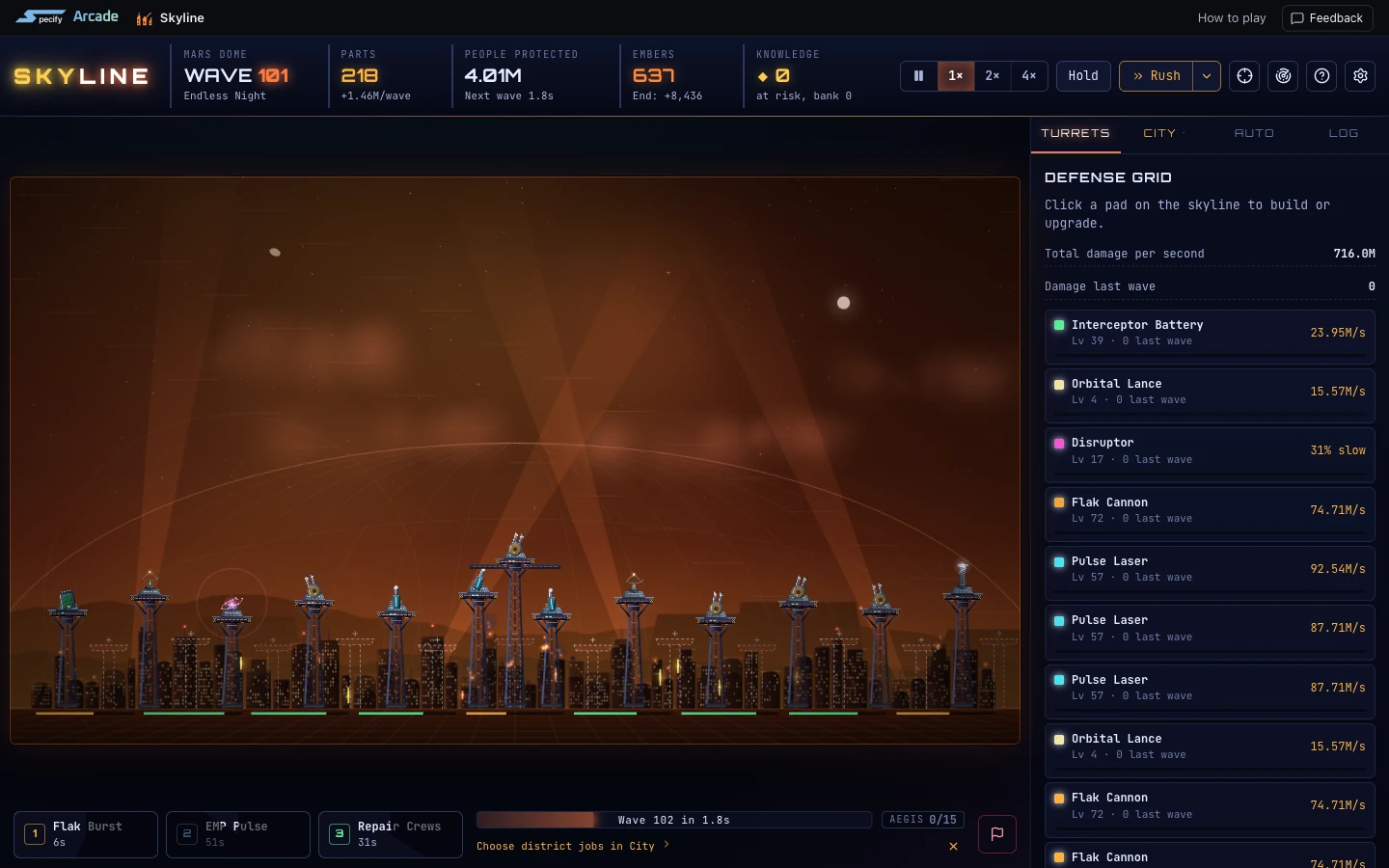 The defense screen: watch the districts as well as the wave counter. This is a progressed save.
Match your turrets to the threats
Flak handles groups. Pulse Lasers and Interceptor Batteries catch fast darts. Railguns hit hard, while Siege Mortars pierce armor. Tesla arcs help against drone swarms. Open Threats with B to read about enemies you have encountered, or press T for turret stats and requirements.
Waves introduce new threats as eras change: First Night begins at wave 1, Air Raid at 26, Static at 51, and Orbit at 76. Endless Night begins at 101. Bombers drop repeated loads, and jammers slow nearby turrets. Check what is getting through before buying more of the same weapon.
A fall is part of progression
When the city falls, you earn Embers and return to the Archive. Spend Embers on upgrades that survive ordinary falls: stronger turrets, better parts income, new abilities, and defenses. Veteran Crews lets turrets retain part of their levels. Platform upgrades add places to build.
At wave 100, evacuation pays extra Embers, keeps the Knowledge Fragments your bosses paid, and opens the next map. Later maps are tougher. The final boss, the Architect, waits at wave 200 on Mars. Defeating it opens further upgrades and endless play.
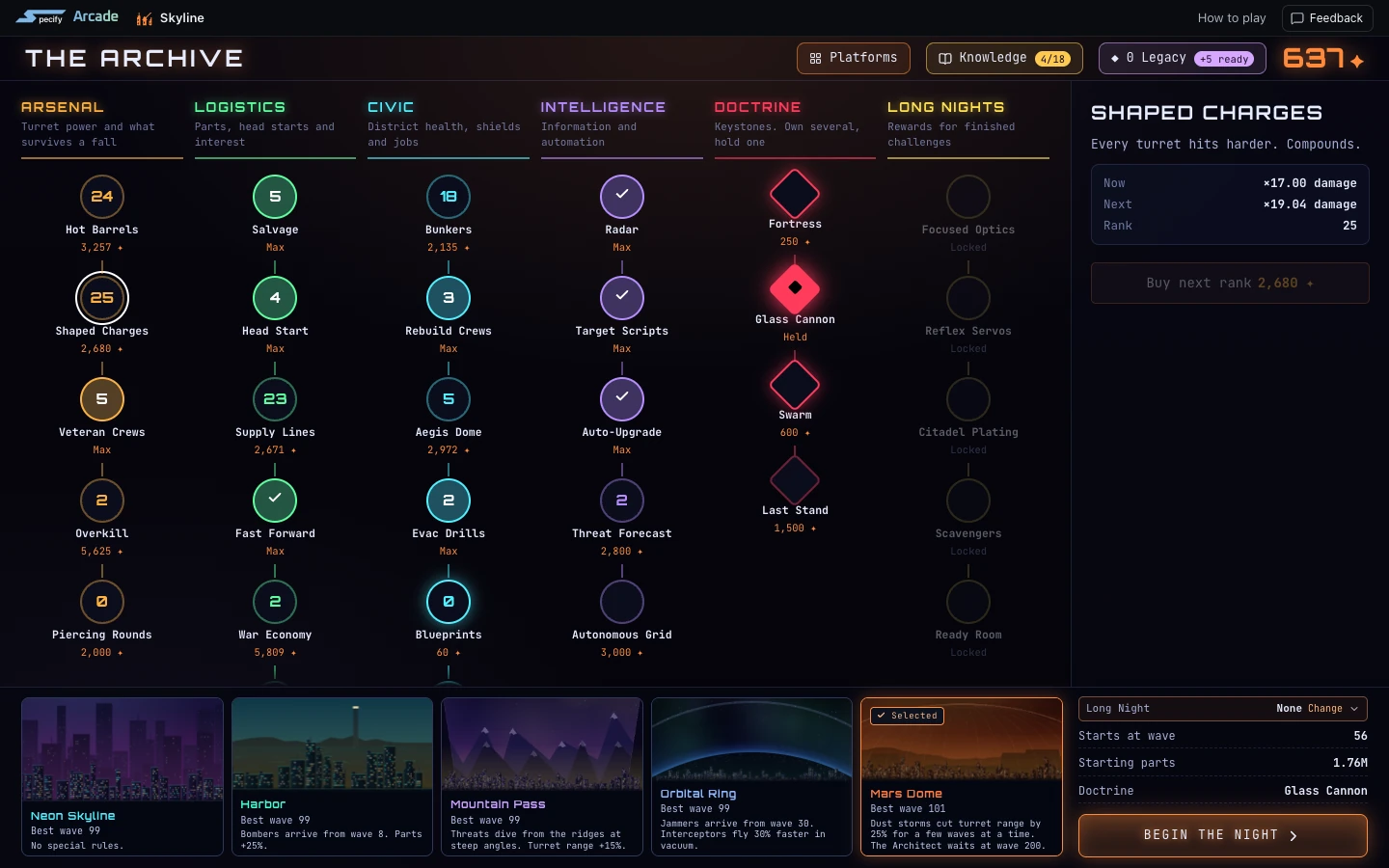 Between nights, the Archive turns Embers into lasting upgrades. Read costs and prerequisites before launching.
Controls
Skyline keyboard and mouse controls| Click | Select a pad, turret, district, or threat. |
|---|
| Space / F | Pause / cycle 1×, 2×, and 4× speed. |
|---|
| 1 / 2 / 3 | Flak Burst (then click the sky), EMP Pulse, or Repair Crews, once unlocked and ready. |
|---|
| H / R | Hold the current wave / rush the next wave when available. |
|---|
| B / T | Open the Threats or Turrets index. |
|---|
| Escape | Close an overlay or cancel the current selection. |
|---|
Make the next run count
Pause to compare upgrades. Hold a manageable wave to build resources, then turn Hold off to advance. Save abilities for threats your turrets cannot handle. Export a save from Settings before clearing browser data. Play without an account, or sign in to save progress to your account across devices.