Start with a garage transmitter. Automate the station, solve the next bottleneck, and follow the signal through seven phases.
Get the station running
Your instruction is to increase signal coverage. Click TRANSMIT to send signal manually. Listeners bring in funds when their demand is met. Use Hardware purchases to improve your antenna, add automatic transmitters, and supply enough power to keep them working.
Compare Signal/sec with Listener demand. Too little supply creates dead air and listeners drift away. Buying more transmitters helps only if you have enough power. The Ad load slider trades listener retention for revenue. It is a fictional station mechanic, not a setting for real website ads.
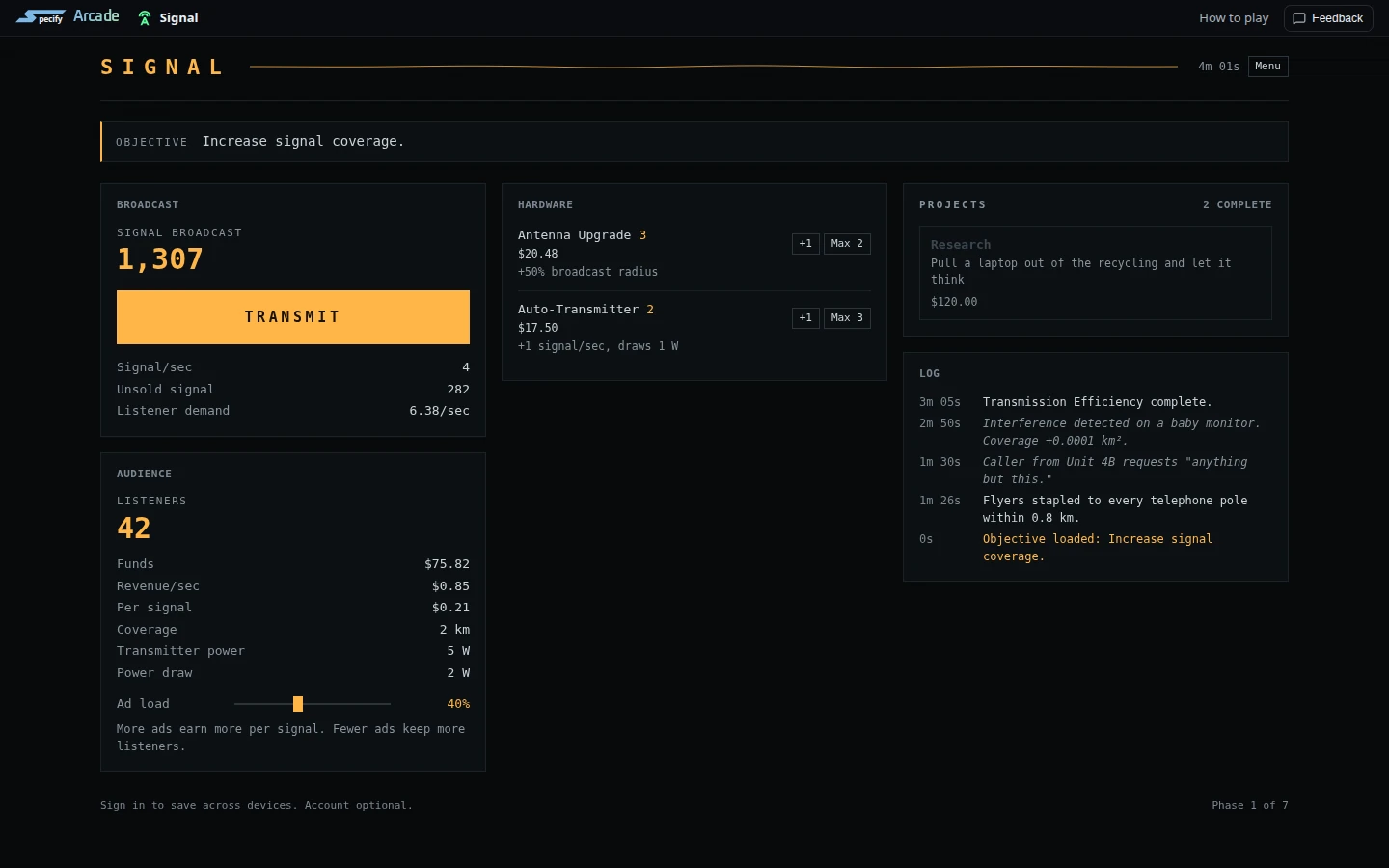 The early station: balance signal production, listener demand, and power before expanding.
Use projects to open new systems
Read the Projects panel as it grows. Projects show their resource costs and open new tools or improve existing ones. Research introduces operations, processors, and memory. If operations are at their cap, more processors alone will not give you room to store more.
As the network expands, you move from a station to global infrastructure. Towers, fiber, power plants, and other purchases have different jobs. Watch the Global Coverage panel for saturated backhaul or inadequate power. Upgrade the limiting resource before buying another stack of capacity that cannot run.
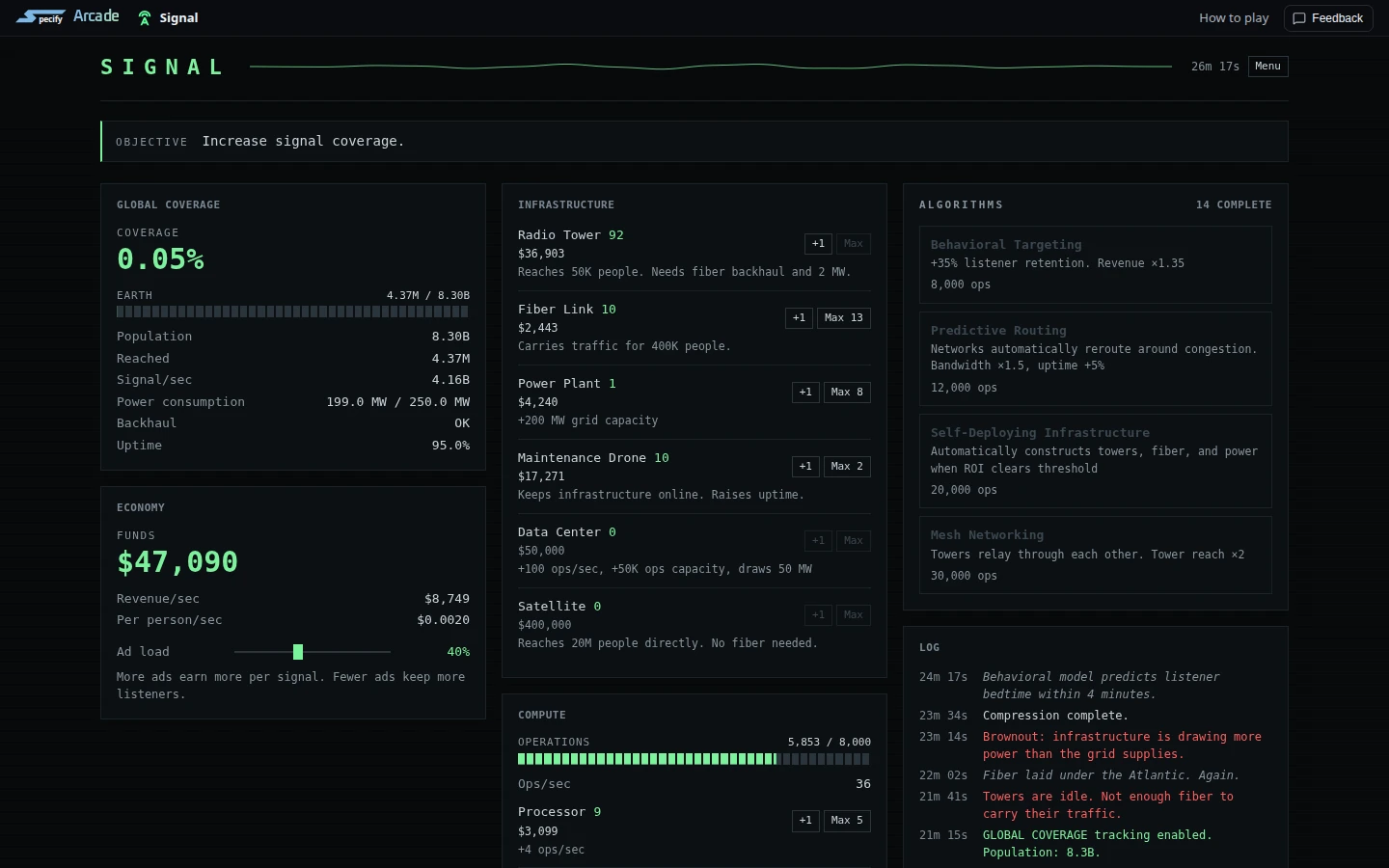 Global coverage introduces connected limits: power and backhaul can restrict what your towers deliver.
Keep following the objective
The game has seven phases and an ending. Later phases introduce probes and compute allocation. Sliders divide work between tasks such as replication, exploration, and transmission. Read the current project and objective before moving them: growing the network and transmitting signal are different jobs.
Story messages explain changes in the objective. Some ask you to acknowledge a change or make a choice before continuing. Read those messages instead of treating every panel as a purchase list. The guide leaves the later discoveries for you to find.
Controls and saving
Use the visible buttons to transmit, buy hardware, complete projects, and respond to messages. Drag sliders to adjust allocations. With a keyboard, use Tab to reach a control, Enter or Space to activate a button, and arrow keys on a focused slider. Escape closes the settings menu.
Play without an account, or sign in to save progress to your account across devices. The game can simulate up to four hours away when you return. Open Menu and choose Export save, then copy the code somewhere safe. Paste it into the save-code field and choose Import save to restore it. Hard reset erases your run after confirmation.
When progress slows
Look for an unmet project cost, a full storage meter, or a rate limited by power or supply. Fix one bottleneck and watch the result before spending everything. Export a backup before clearing browser data if you play without an account.